Website
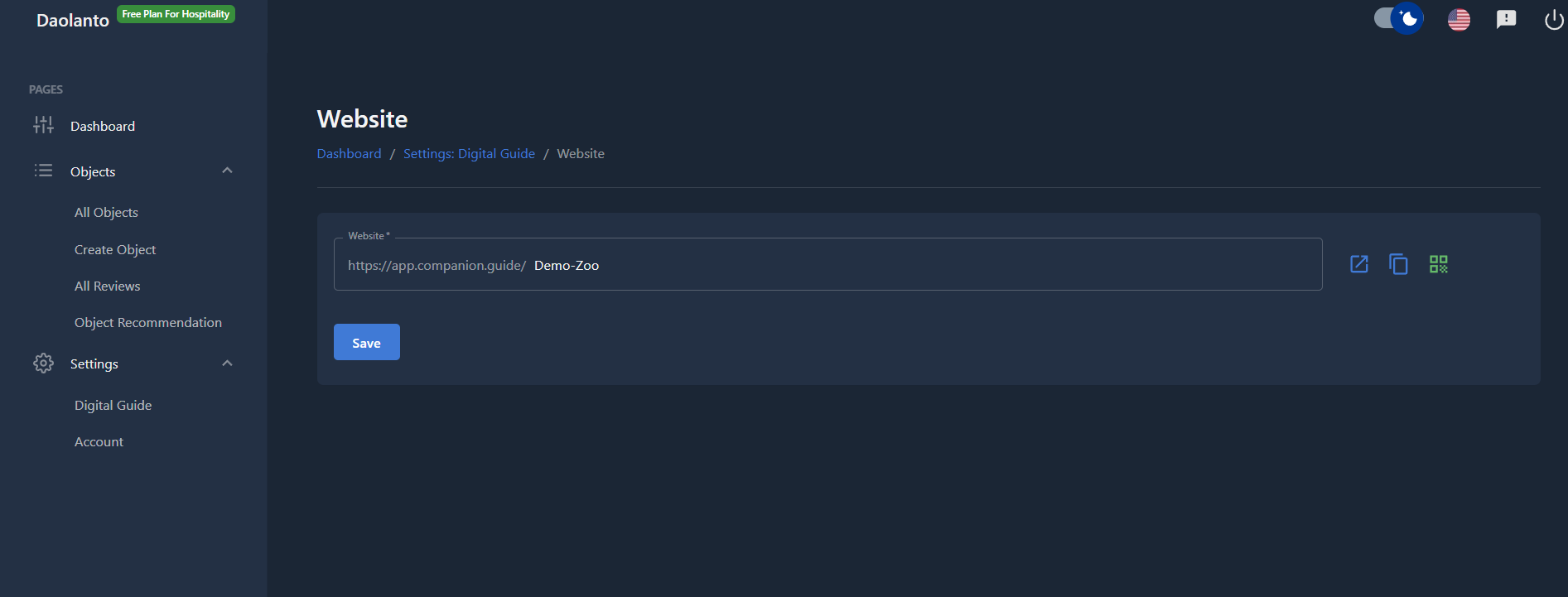
The Website page allows you to customize the web address (URL) of your digital guide.
This URL is the main link you can share with visitors.
Website URL
You will see a field containing your guide’s current web address.
Example format:
https://app.companion.guide/your-name
The part at the end (for example: daolanto) is your custom guide name.
Customizing Your URL
You can change the ending part of the URL to match your organization or brand.
Examples:
- museumofhistory
- citytourguide
- artgallery
This makes your guide easier to remember and share.
Save Changes
After entering your preferred name:
- Click Save
- Your guide URL is updated
The new link becomes active immediately.
Helpful Actions
Next to the URL field, you may see icons that allow you to:
- Open the guide in a new tab
- Copy the URL
- Generate a QR code for the guide
These tools make sharing easier.
Best Practice
- Use short and simple names
- Avoid spaces and special characters
- Use your organization or brand name
- Share this link on posters, websites, and social media