Edit Object (Language Editor)
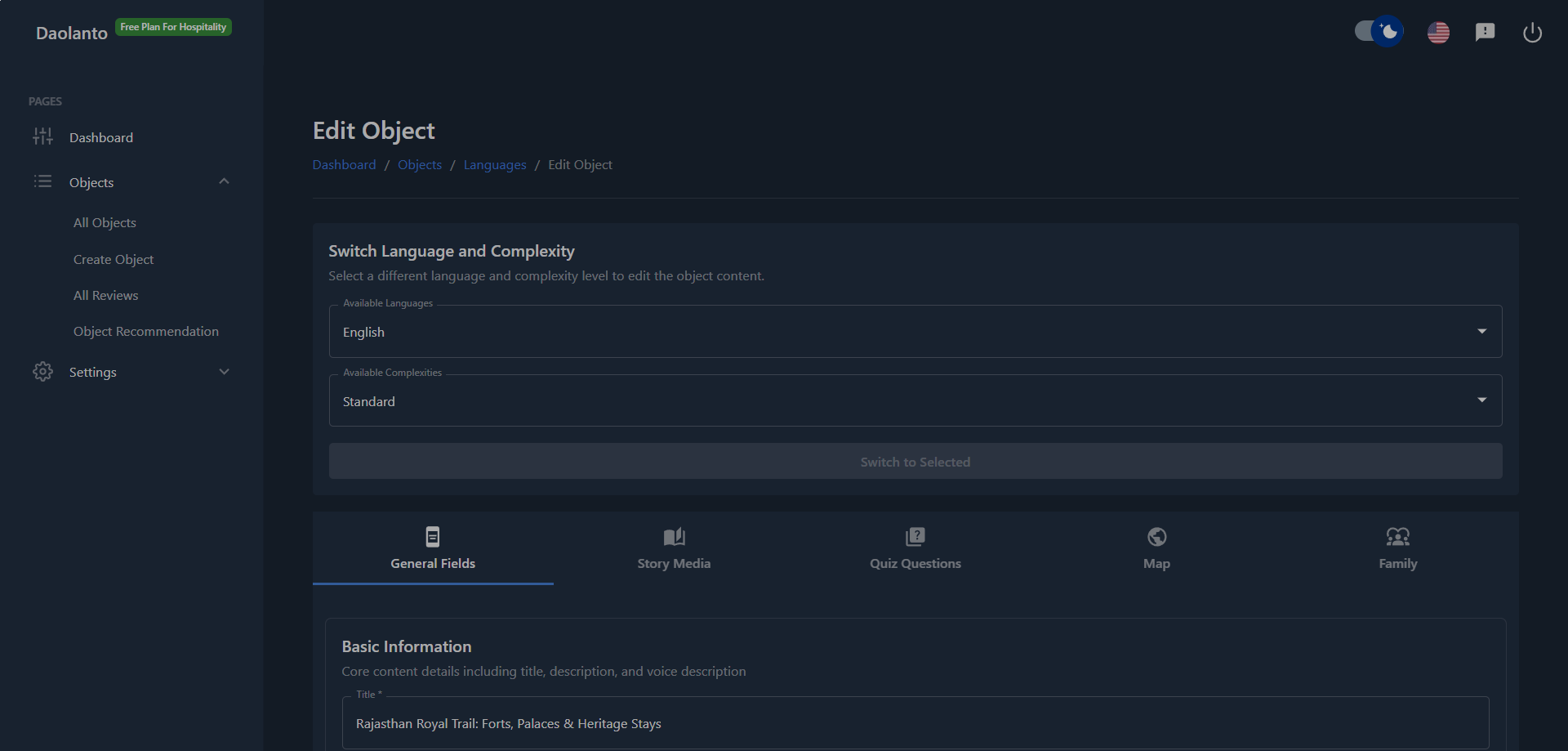
The Edit Object page is where you edit the content of an object for a specific language and complexity level.
From this page, you can:
- Switch between different languages
- Switch between different complexity levels
- Edit titles, descriptions, and core content
- Manage media and maps
- Manage family relationships (default language only)
All changes are saved and reflected in the guide immediately.
Switch Language and Complexity
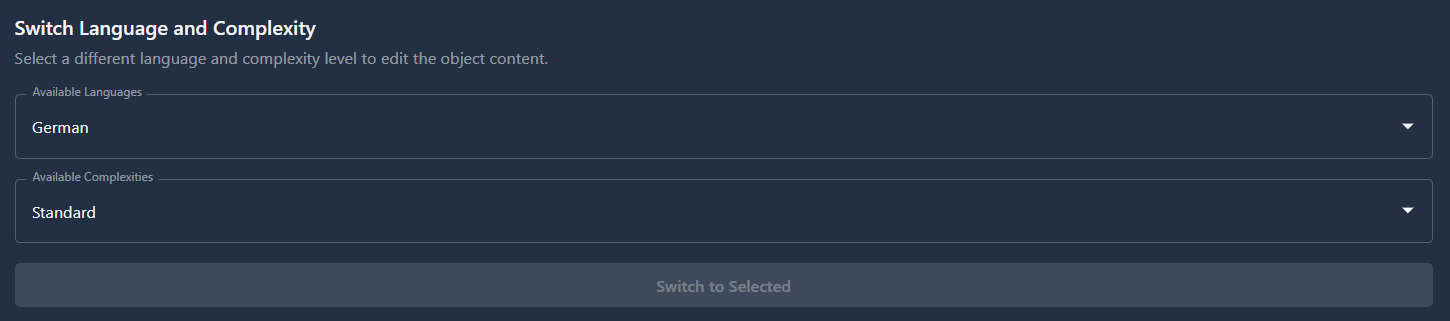
At the top of the page, you will find the Switch Language and Complexity section.
Here you can:
- Select a language
- Select a complexity level
- Click Switch to Selected
This allows you to edit the same object in different languages and different complexity versions without leaving the page.
Use this when you want to:
- Update translations
- Adjust content detail for different audiences
- Review how the object looks in another language
Default (Original) Language
Each object has one default language (the language in which the object was originally created).
Important rules:
- Only the default language can be used as the source for translating into other languages
- Translation actions are performed from the default language
- Other languages cannot be used as translation sources
This ensures translations remain consistent and accurate.
Translating to Other Languages

When editing the default language, you can translate the object into additional languages.
This creates new language versions that appear in the Languages list.
When editing non-default languages:
- You can edit the content manually
- You cannot translate from that language into other languages
Editing Content
You can update common content fields such as:
- Title
- Description
- Voice description (if enabled)
- Text sections and story content
These edits apply only to the selected language and complexity.
Routes and Map Editing
Routes (map paths and waypoints) can be managed differently depending on language type:
- In non-default languages, you can add or remove routes if needed
- However, it is recommended to manage and structure routes in the default language
This helps keep navigation consistent across all translations.
Tabs Overview
The editor contains multiple tabs:
General Fields
Edit basic information such as title, description, and text content.
Story Media
Add and manage images, videos, and other media.
Quiz Questions
Add and manage scavenger-hunt questions for this object (question text, hint, multiple-choice answers with one correct option, and optional image or video per question). Questions can be reordered by drag-and-drop or the position menu.
This tab is available for every language. Edit quiz content in each language version separately, the same way you edit titles and descriptions.
Map
Manage locations, routes, and waypoints.
Family
Manage parent, child, and related object relationships.
Note: The Family tab is only visible when editing the default (original) language.
It is hidden for all other languages.
Live Updates
All changes made in the editor are:
- Saved in the CMS
- Reflected in the guide instantly
Visitors will see the updated content without requiring a manual publish step.
Best Practice
- Do major structural changes in the default language
- Translate from the default language only
- Use Switch Language and Complexity frequently to review variations
- Keep route structure consistent across languages
- Manage family relationships only in the default language
- Add quiz questions in each language where visitors will use scavenger hunt mode